
Website Surveys
Ask website visitors about the task they just tried
Ask a short question about signup, search, or a recently used feature. Review the answers with the session context available for them.
Start with one question. An answer tells you what a visitor reports; an available replay shows what they did. Neither proves why everyone behaves that way.
How to run your first website survey
- 01
Choose the decision
Be specific about what you will do with the answer. “Should we explain this setup step differently?” is a clearer starting point than “How can we improve the website?”
- 02
Choose a supported moment
Target a survey by page or path, page load, time on page, an instrumented custom event, or available client and session properties. A custom event needs to be configured on your site; the survey does not infer that an interaction happened from its description.
Match the question to a moment your site can actually identify. If your application changes pages without a full reload, check the intended navigation path before collecting feedback.
- 03
Ask a short question
Write a question a visitor can answer from a recent experience. Leave room for “nothing was difficult” or “I found what I needed.” Avoid describing the answer you hope to hear.
- 04
Review answers and available context
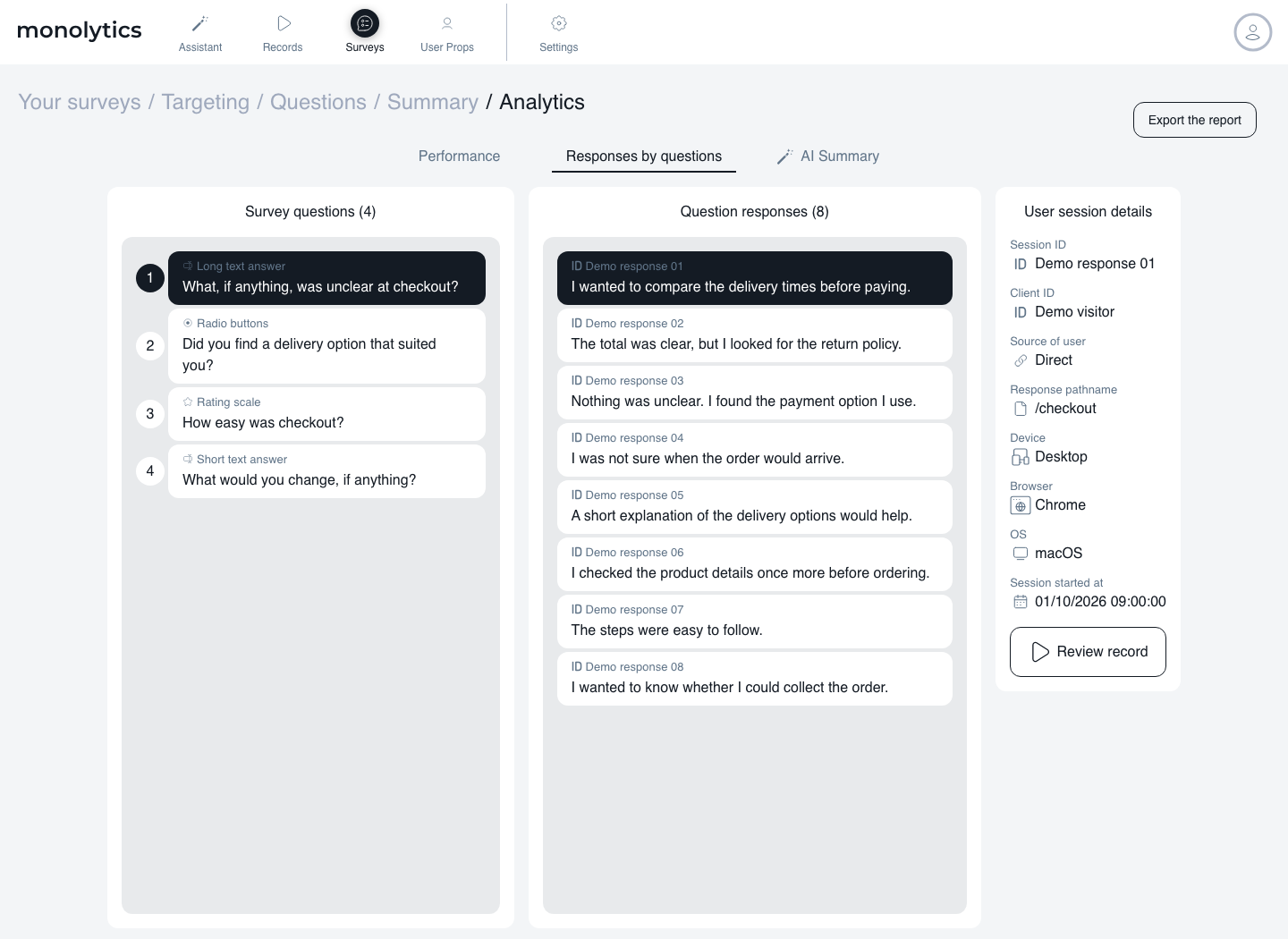
Review response analytics per question. Open an associated replay when the underlying session record exists; not every answer has a stored replay. Keep the respondent’s account of the experience separate from what you can observe, then choose a change or a follow-up question to investigate.
A checkout survey, from setup to answers
Explore an example checkout survey, from choosing the audience to reviewing answers.
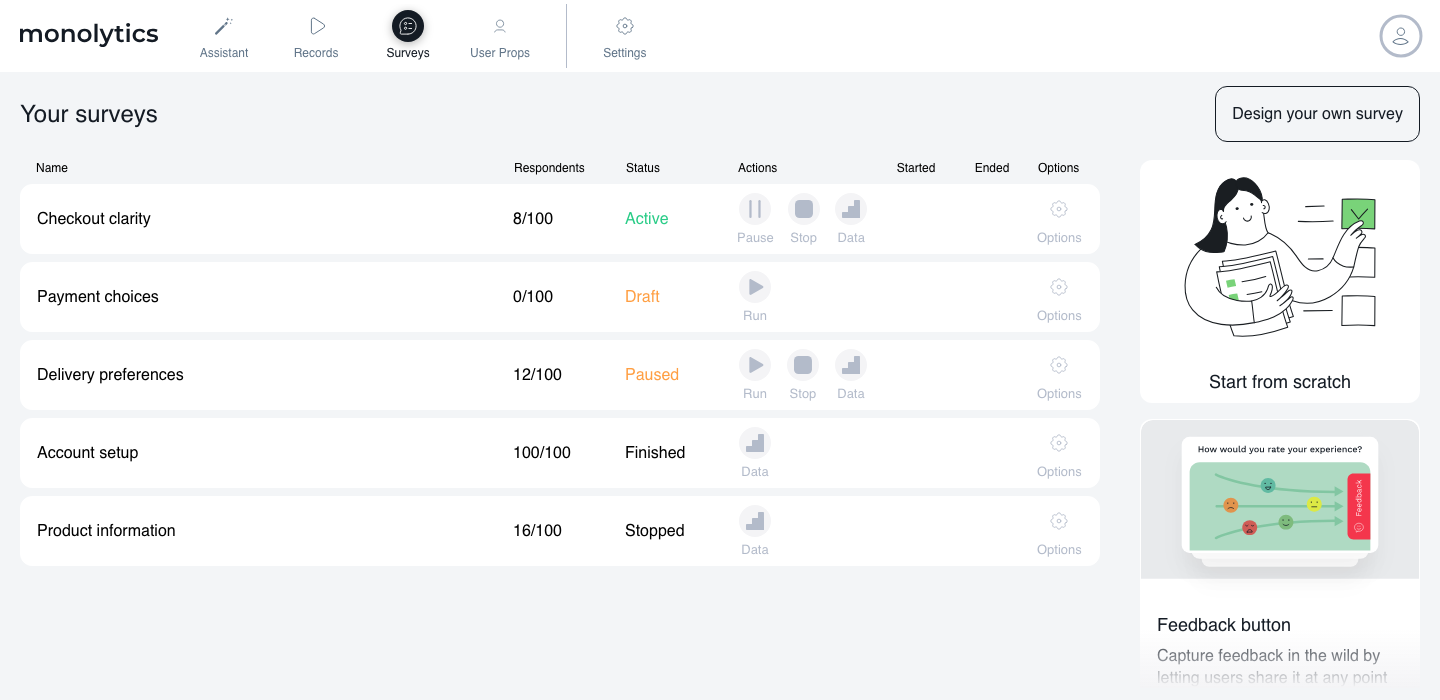
Manage your campaigns

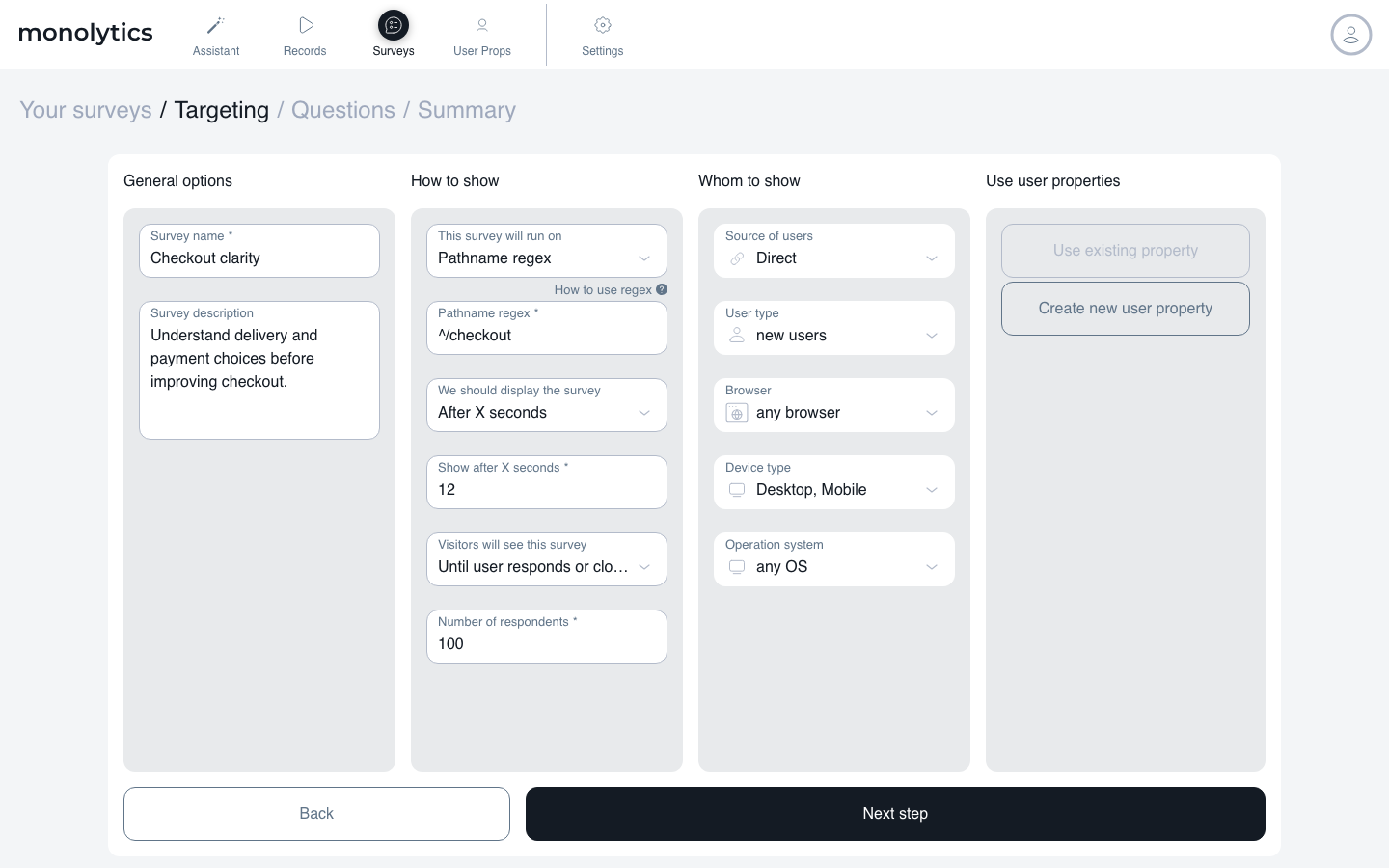
Choose who sees the question

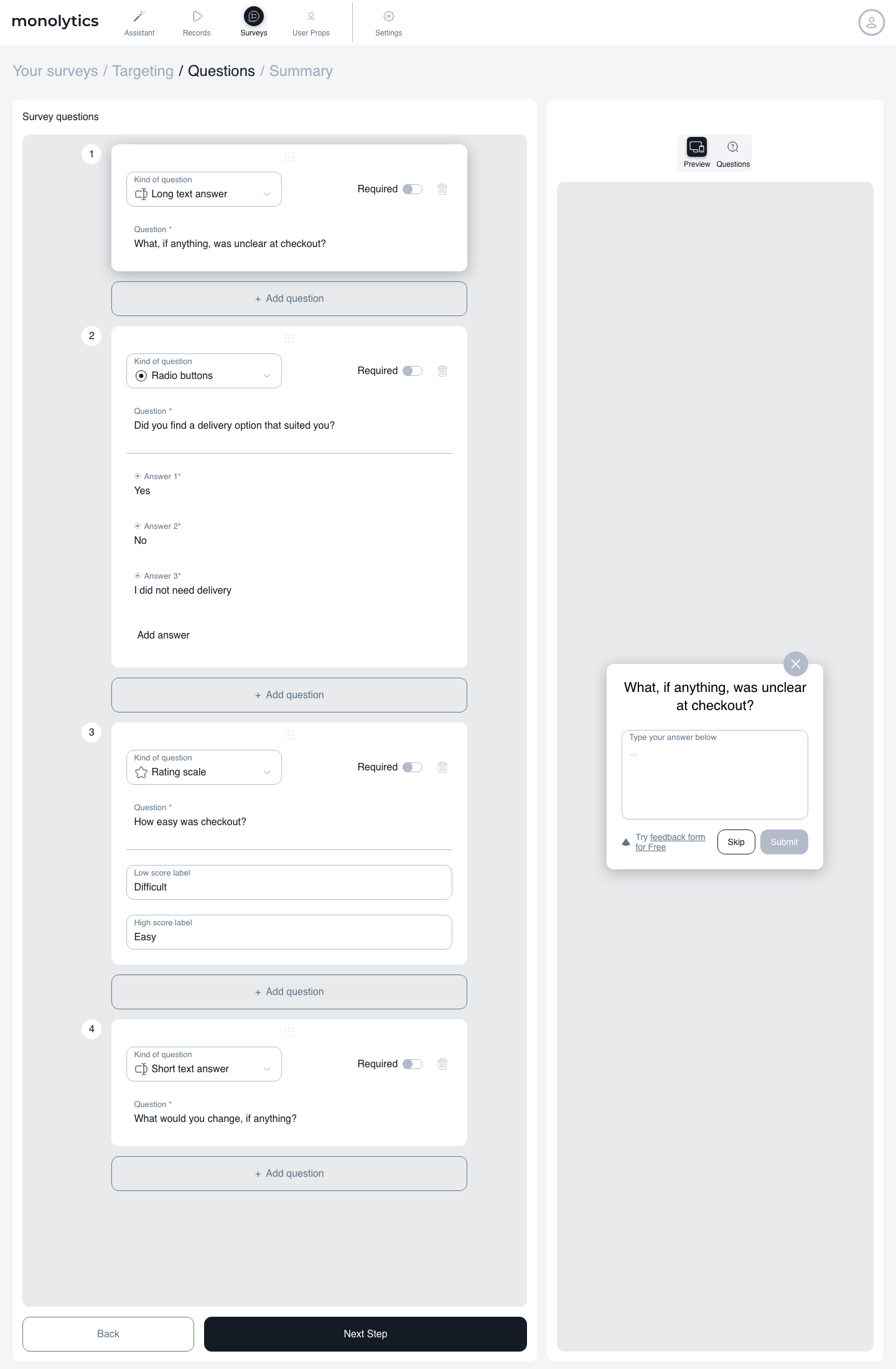
Build a focused set of questions

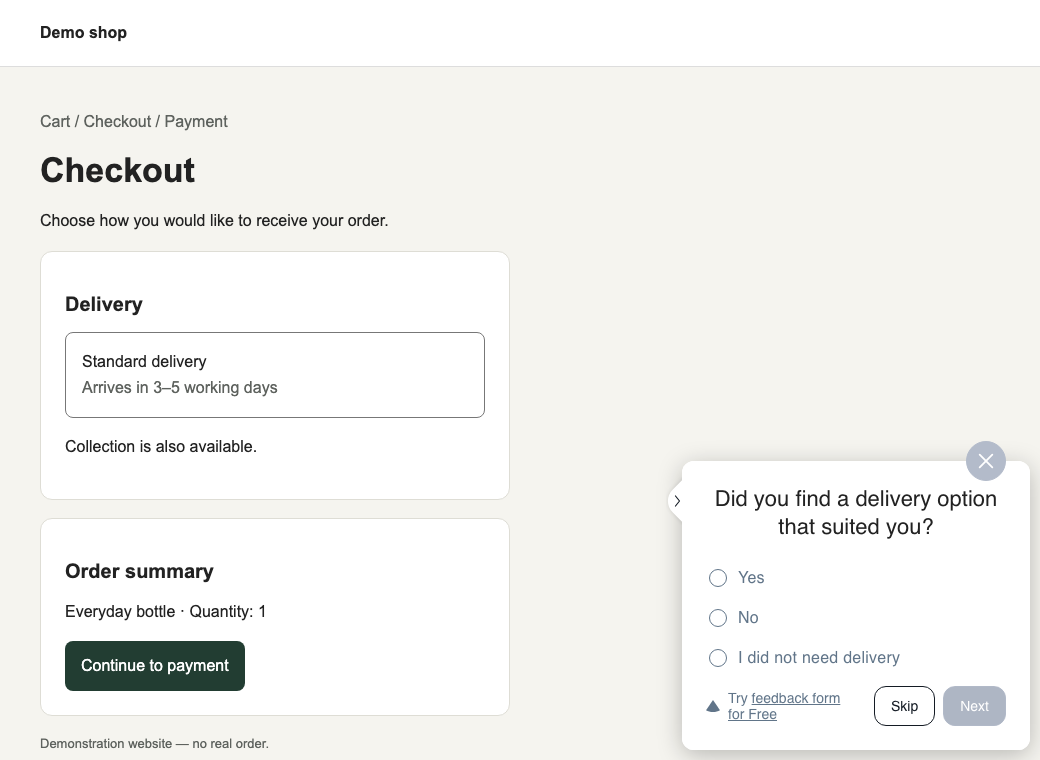
See the visitor experience

Review answers with available context

Example questions to start with
These are example questions, not claims that every site has the required trigger.
| Decision | Example question | A moment to consider |
|---|---|---|
| Clarify a setup step | What, if anything, was unclear about this step? | A configured setup page or an instrumented step-completion event |
| Improve search information | What were you trying to find today? | A search page or an instrumented search interaction |
| Understand a listing form | Which part of creating this listing, if any, took more effort than expected? | A listing page or an instrumented submission event |
| Explain a product or service | What information, if any, is missing for your decision? | A configured information or evaluation page |
| Investigate feature usefulness | What were you trying to accomplish with this feature? | A page or an instrumented feature-use event |
Will Website Surveys fit your site?
For a web product, consider a question about a setup step or recently used feature. Confirm the targeting along the route users follow. If you need a native mobile survey or a complete research program, assess those requirements separately.
For a WordPress site, use the WordPress setup guide to connect the site to Monolytics. Survey authoring happens in the hosted Monolytics workspace. If editing surveys and keeping results entirely inside WordPress is essential, a native WordPress survey tool may fit that requirement better.
For an online store, start with a website page or instrumented interaction that your installation supports. A question after a purchase asks about that immediate experience; it cannot tell you whether delivery went well. Check platform and placement restrictions before choosing a checkout moment.
For a marketplace or classifieds site, consider listing friction, search needs, or missing information. Buyer and seller tasks can differ, so choose the relevant audience and moment instead of combining their answers into one explanation.
These uses overlap: a marketplace can run on WordPress, and a store can share the same search problem as a web product. Choose by the task you need to understand.
A published marketplace example
The published 999.md story describes a classifieds team using targeted surveys to investigate listing-form ideas and filter preferences. It is a historical example of that team’s work, rather than a prediction of results for your website.
Plans and collection terms
Check plans and collection terms for your website traffic. Survey collection depends on available tracked sessions.
Website survey FAQ
Can I ask after a particular action?
Use a supported condition or a custom event you have instrumented. Confirm that the event and page rules match the interaction on your site before launching. The event-tracking guide explains the setup path.
Does every answer include a replay?
No. An associated replay can be opened when the underlying session record exists. You can still review an answer without treating missing replay as evidence of what happened.
How many questions should I start with?
Start with the question that informs your next decision. Add another only if it asks for different information you will use. A longer questionnaire is not automatically a more useful one.
Can a survey prove why people leave?
It can record reasons reported by people who answer. Those responses do not represent everyone who left, and an associated replay does not establish motive or causality. Use the findings to guide further investigation.
What should I consider before collecting feedback?
Decide who should see the question, what information you need, and how you will use it. Avoid requesting sensitive information that is unnecessary for the task. Review the Privacy Policy, GDPR information, and Terms of Use alongside your own privacy and consent responsibilities.
Start with one question worth acting on
Choose one step, write a neutral question, and test the targeting. Review the answers with any available session context before making a change.