Watch
Inspect the recorded journey
Watch reconstructed visitor sessions with the interaction context around bugs, UX friction, and abandoned flows.

Session Replay and Record Campaigns
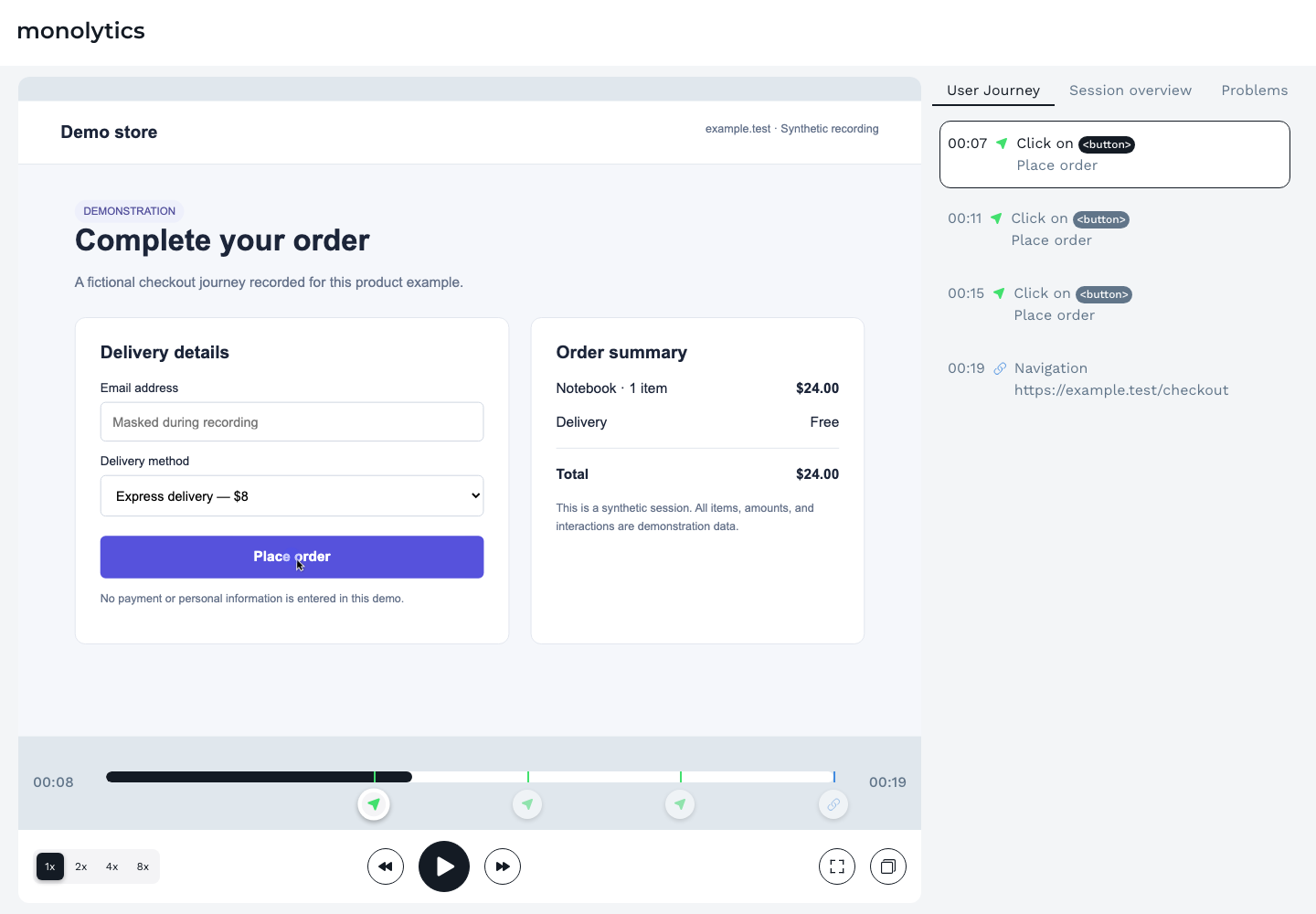
Replay a visitor’s session to see what happened. Use Record Campaigns to collect matching sessions from a specific flow, up to the limit you set.
See clicks and interactions around bugs or abandoned steps. A replay shows what happened; it cannot tell you why someone acted.

Review the experience in context
Choose a flow, find matching sessions, and watch what happened around the step you want to understand.
Watch
Watch reconstructed visitor sessions with the interaction context around bugs, UX friction, and abandoned flows.
Filter
Filter sessions by the supported session, client, and event conditions.
Record Search
Find sessions with natural-language Record Search when you would rather describe the session than build the filter.
A monthly allowance counts tracked visitor sessions—not unique visitors—and the number of stored replays or analyzable sessions can be lower. Monolytics does not promise that every session is captured, retained, or available for replay.
Record Campaigns
Use a campaign when you can define the target and collection limit before the investigation starts.
Choose paths, supported session filters, or client properties that describe the flow you care about.
Set the campaign’s analyzed-record collection cap to 1–5,000 analyzed records / campaign before starting collection.
The campaign records sessions that meet its target while it runs. It can finish when the configured record limit is reached.
Open a collected session as a replay and keep the observable evidence with your investigation.
Your review set
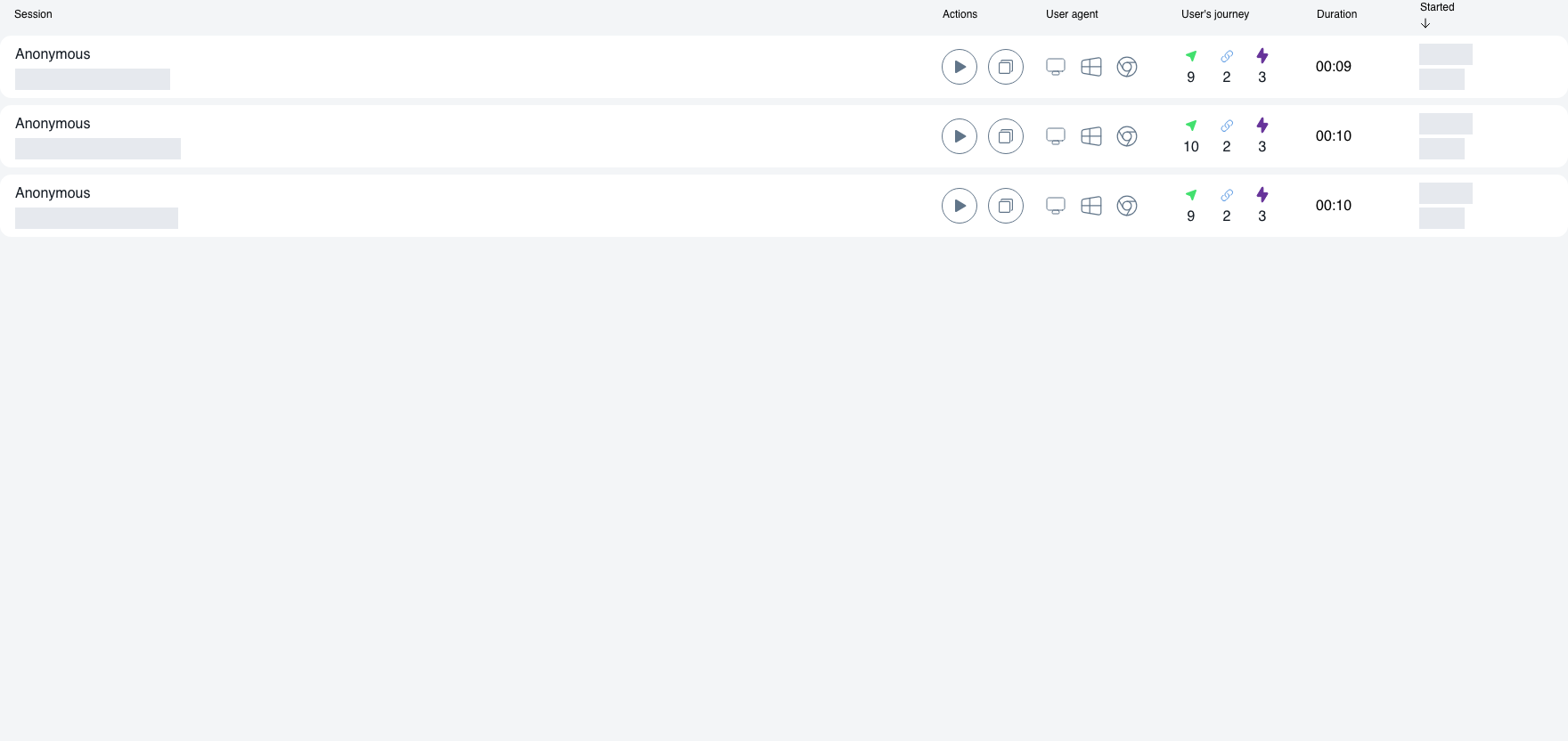
Open collected records from a campaign to inspect the recorded journey. This example shows a completed three-record campaign.

Inside the product
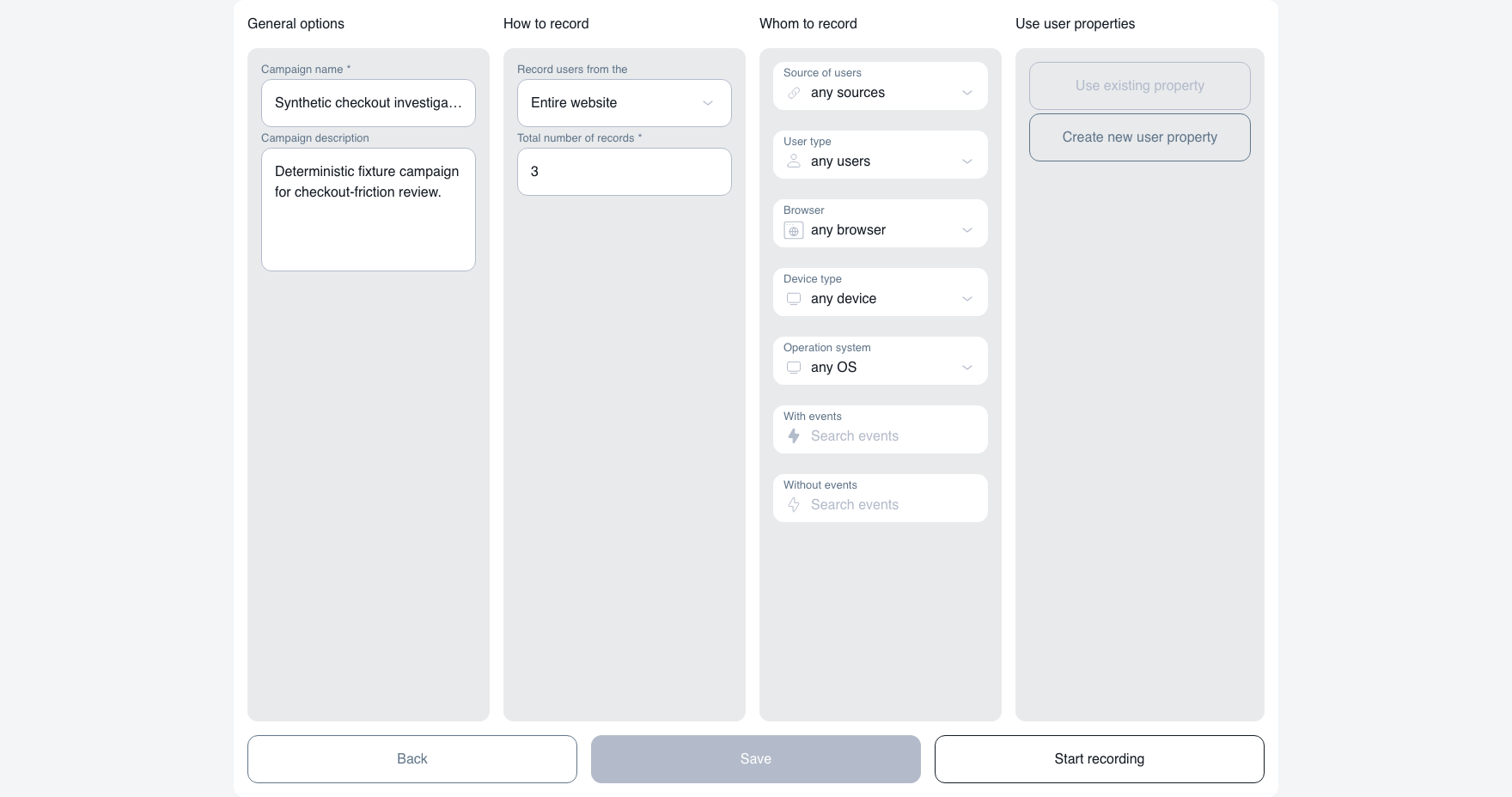
This product capture shows the setup behind the collected-session example above. The example campaign has a three-record limit and finished after collecting three matching sessions.

Use a flow your team can observe
Review the path from setup to the first-value event your site actually tracks. Compare stalled and successful sessions before choosing a change.
Define the pages and supported signals in your checkout, then inspect recorded interactions around the step you are investigating.
Build a review set around the relevant page and instrumented events. Check what happened without treating a replay as proof of intent.
If the signal behind your question is missing, start with the event-tracking setup guide. Investigating onboarding? Use the onboarding workflow.
Practical guides
Learn how to choose sessions, compare behavior, and record your findings.
Review method
Choose sessions, tag behavior, add evidence, and decide what to investigate next.
Read the review workflow →Onboarding
Choose first-value paths to review when activation slows and onboarding needs attention.
Explore onboarding review →Evidence
Keep observations, representative sessions, and follow-up actions together.
Use the evidence template →Before you start
Reviewing existing replays helps you inspect observed activity. A Record Campaign defines which matching sessions to collect and sets a record limit for that investigation.
Record Campaigns are included in Free, Growth, and Pro, with no separate plan limit on the number of campaigns. Each campaign sets its own analyzed-record collection cap. Collection depends on available tracked visitor sessions, campaign targeting and processing; retention, privacy and data-rights obligations still apply. The per-campaign cap is 1–5,000 analyzed records / campaign; it is separate from your monthly tracked visitor session allowance. Compare all plan allowances.
No. Tracked visitor sessions, stored replays, and analyzable sessions are different measures. The number of available replays can be lower than your monthly tracked-session allowance.
Replay can show observable activity and repeated behavior. It cannot establish exact motive or causality by itself. Review representative sessions and supporting signals before deciding what a pattern means.
Configure masking and collection controls for your input fields and sensitive surfaces. Lawful configuration, consent, and disclosures depend on your deployment and your obligations to your users. Review the Privacy Policy and GDPR information and verify the rendered capture before production use.
For a question-led answer with scope and inspectable sources, use Monolytics Assistant. Your team still reviews the finding and decides what to do next.
Start free, define one target and record limit, and review the collected sessions as replays. Check current plans and collection terms for your expected website traffic.